Tour
What it does, on real documents.
Every picture below is the app on one of the four sample documents it ships with — a one-page welcome tour, an essay, a legal text and a medical article — or, for the Universe, on a short manuscript of three chapters. Open the samples yourself from File ▸ Open Sample Document; each opens as an untitled copy, so nothing you try changes them.
The Universe
Ask your story “what if?”
The Universe is a sounding board for the story you are writing. It reads your text into a world — everyone in it, what each of them wants and fears, how they stand to one another, what is known, what is unresolved — and then it runs that world against a question you ask. Every actor moves in turn from their own persona and memory; a narrator resolves each round; the odds of each outcome, the model’s guesses, shift; and at the end you get a report, and anyone in it will talk to you. It suggests; you decide. Nothing goes into your manuscript unless you insert it.
- 1
Read the text into a universe.
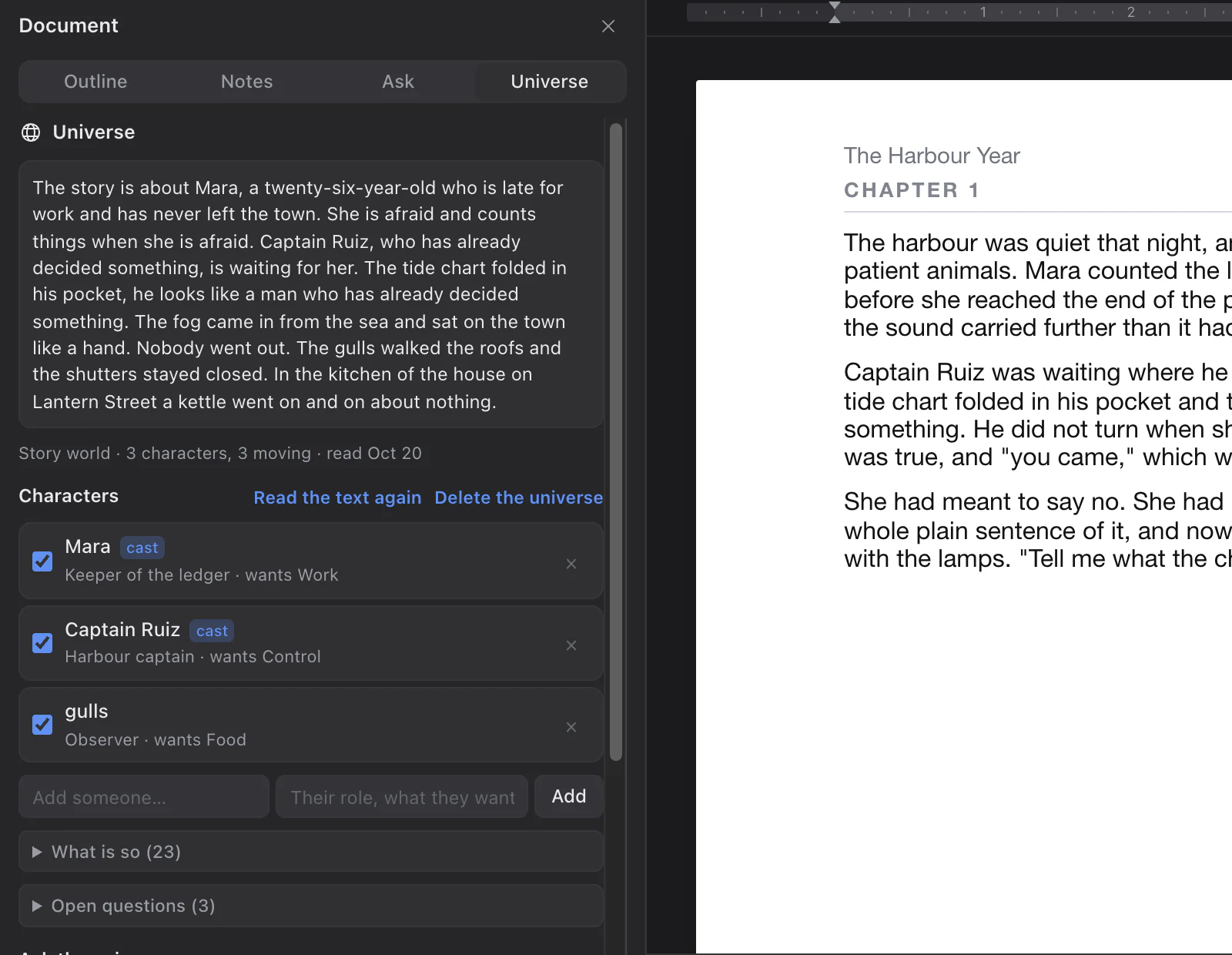
Scivelle reads the text in pieces and lists who is in it, with what each wants and fears and how they are tied to one another, along with the facts, the places and the open questions. Your Characters tab seeds it. Tick the characters who should move; the others stay as scenery. Add anyone missing, or read the text again.
- 2
Ask it a question.
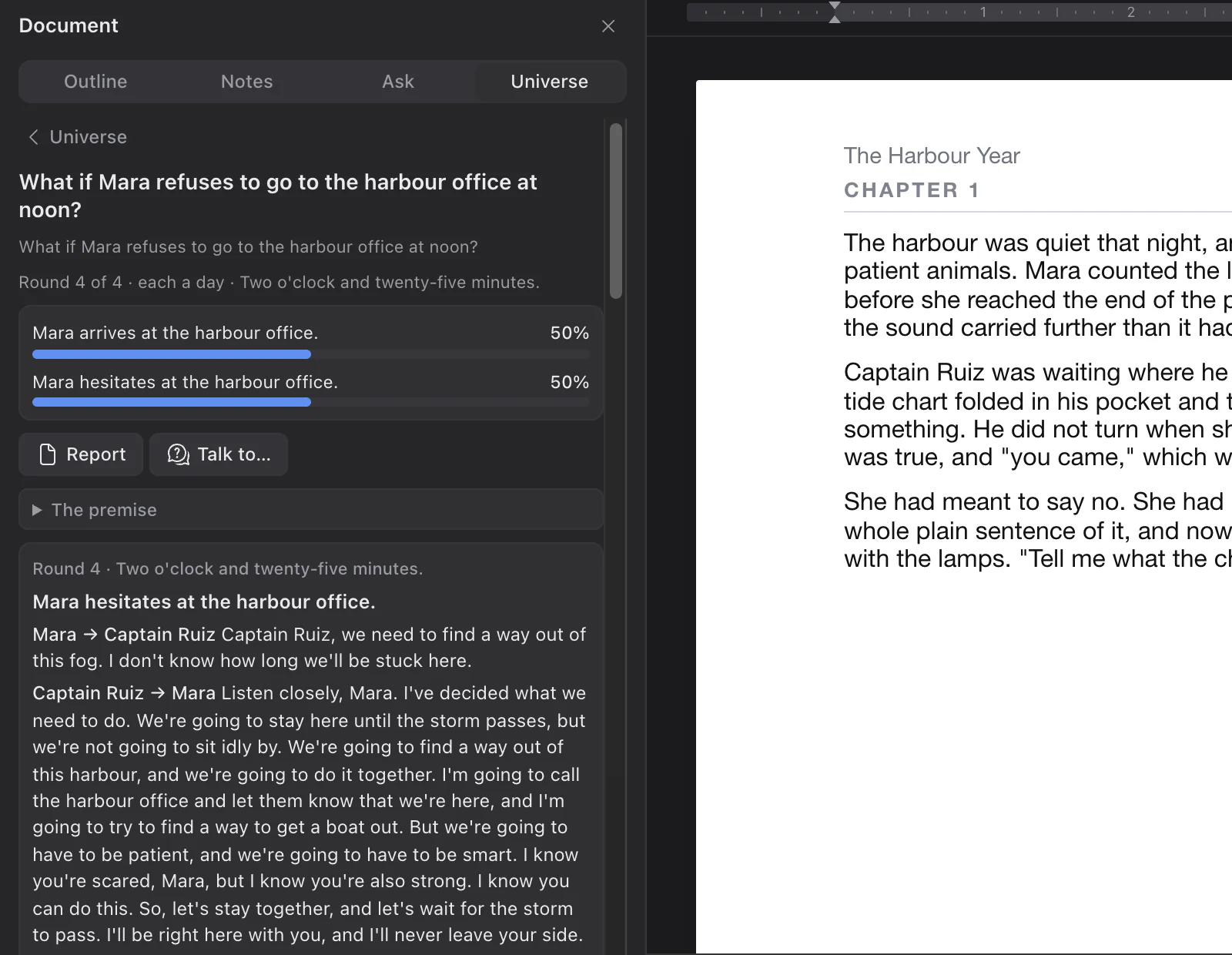
“What if Mara refuses to go to the harbour office at noon?” “Will the levy hold?” “Does the hypothesis survive a critic from the other school?” Choose a length — four, eight or fourteen rounds — and set up the run. It writes the premise, the opening events, and two to four outcomes it will track, each with a probability.
- 3
Run it, and step in.
Round by round, every moving actor acts from their own persona and memory: a line or two of what they say or do, and to whom. Then the world answers — what happens next, the clock moves on, the outcomes are re-weighed. Pause after any request, and step in with an event of your own for the next round: “A storm closes the harbour.” Hover a name for that actor’s private thought.
- 4
Read the report.
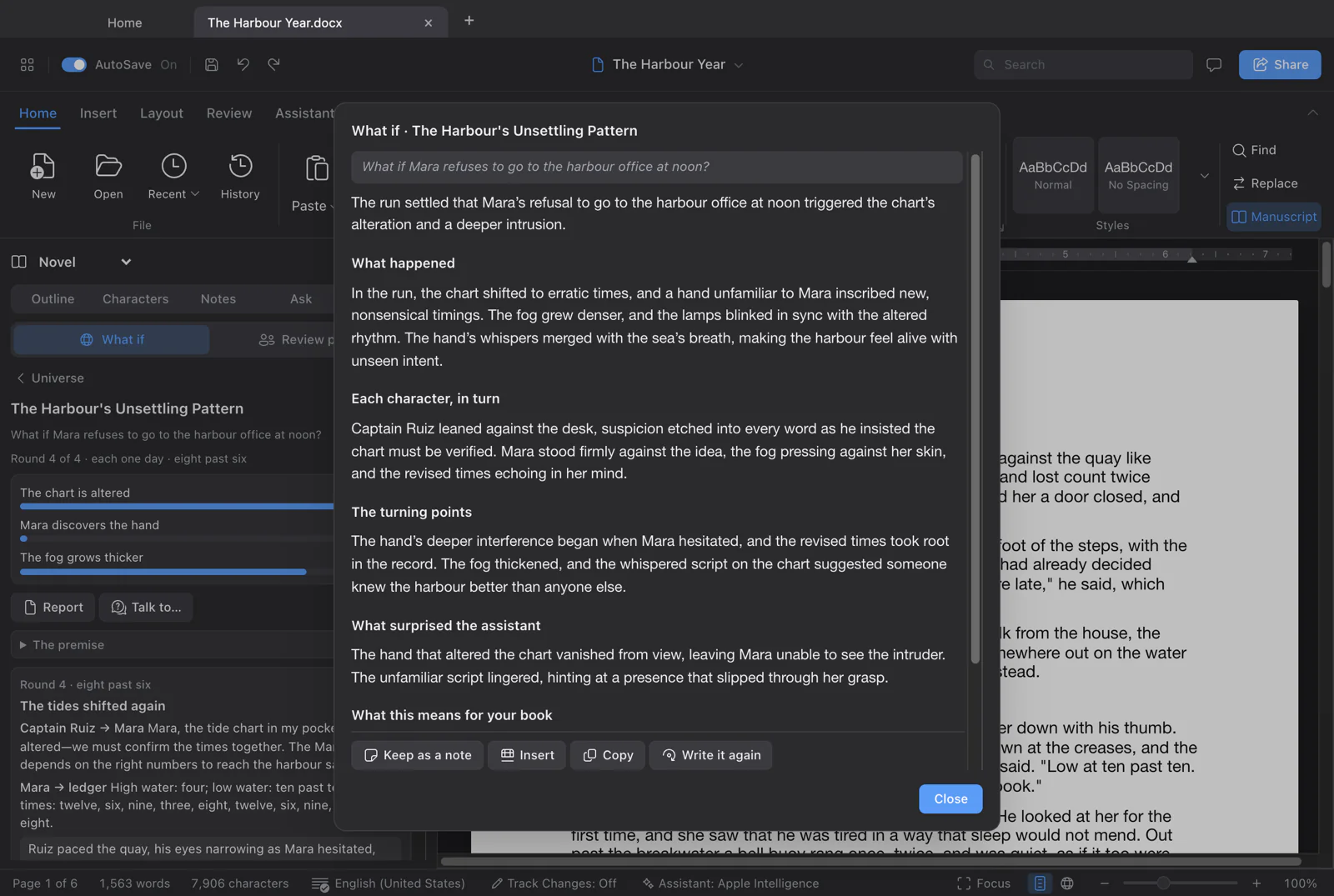
When the rounds are done it writes one. For a story: what happened, each character in turn, the turning points, what surprised it, and what it means for your book. Keep it as a note, insert it into the manuscript, or copy it.
- 5
Talk to anyone.
Ask the universe what happened and why, or ask any actor. They answer from what they lived through in the run, with their memory intact.
Three ways of reading a text
- Story world
- A novel’s characters as actors. What happens if…
- Forecast
- The people, bodies and forces in a report or a policy paper. What might come next, the drivers, the minority view, the signals to watch: the model’s reading, not a prediction.
- Thesis panel
- The perspectives on your hypothesis — a methodologist, a sceptic of the rival school, a practitioner, the proponent. Where it stands, the strongest objections, questions of method, other designs, what to do next.
Everything is kept on your Mac, by document. With Apple Intelligence nothing leaves the computer and a round of eight actors takes a few minutes; a service you connect is quicker and reads whole chapters. A run cut short picks up where it stopped. From the start page, Something else ▸ Explore a document in the Universe… opens any document straight into it.
Shown on: The Harbour Year, a three-chapter manuscript, with Apple Intelligence
The same idea, on a thesis.
Open a thesis and What if reads it as a thesis panel: the perspectives on your hypothesis instead of characters, one exchange of the panel for a round, and a chair who sums up what was conceded. Here it is on a chapter about off-pump bypass surgery and atrial fibrillation, asked whether the drop in atrial fibrillation survives once the panel weighs surgeon selection and the fewer grafts.
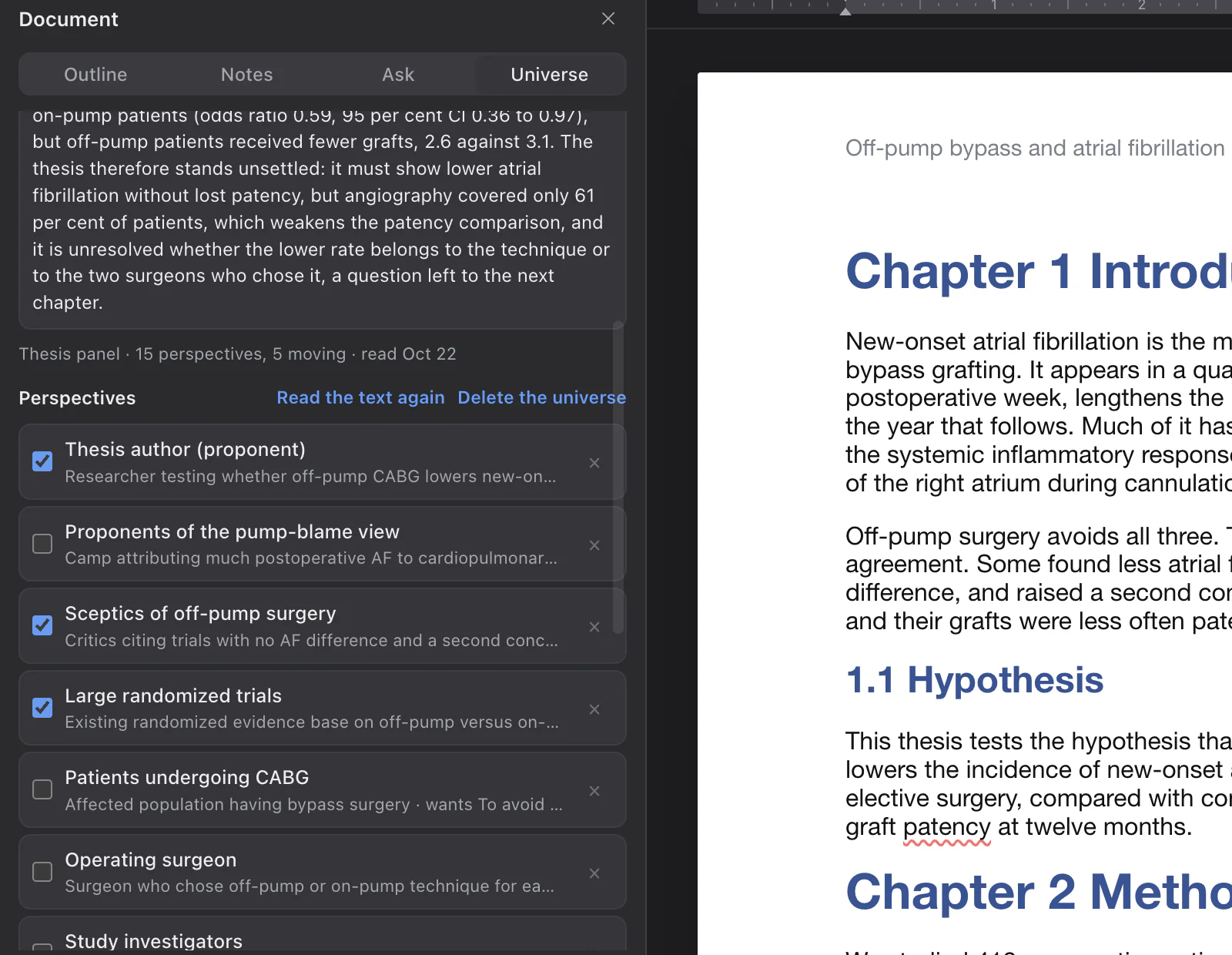
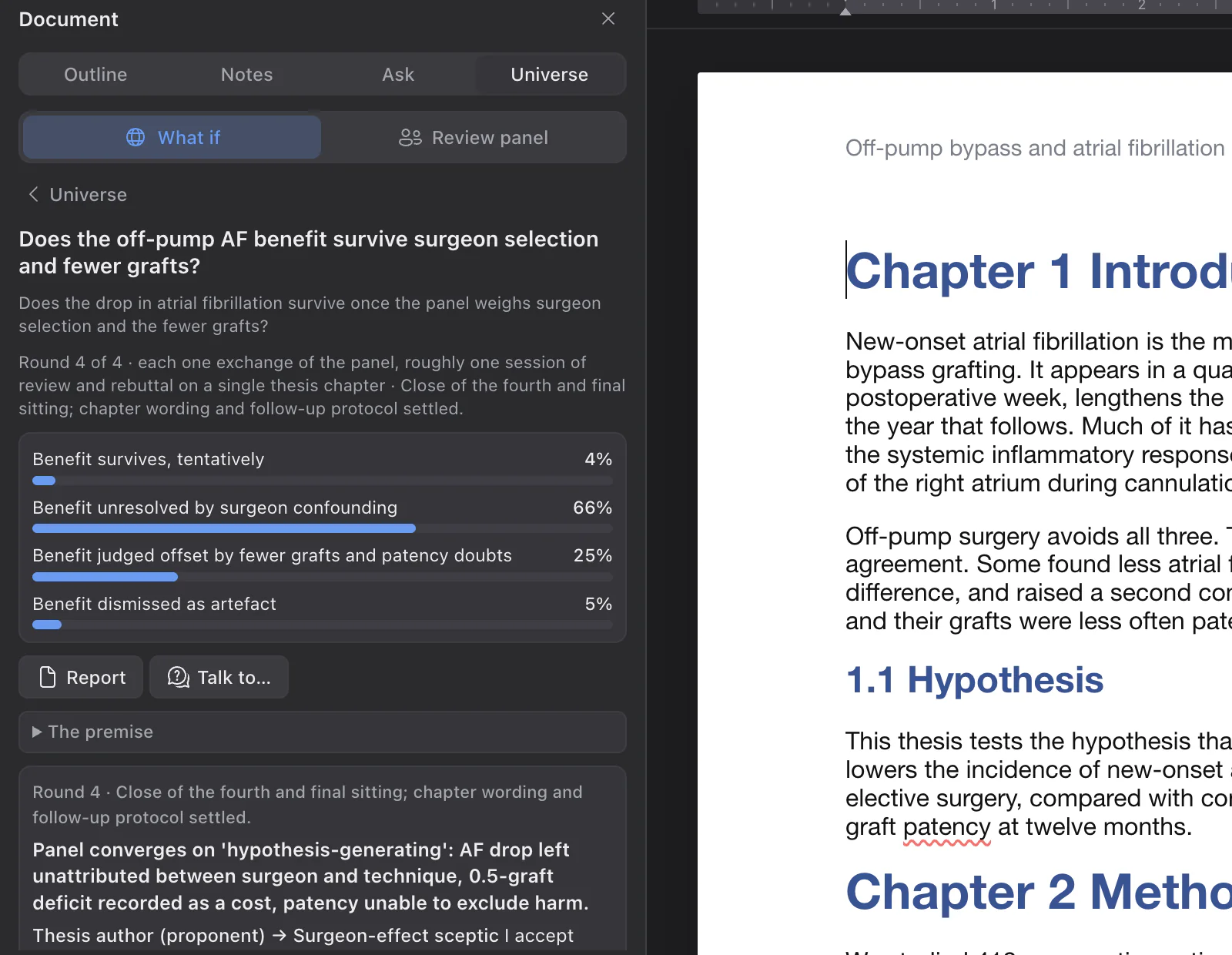
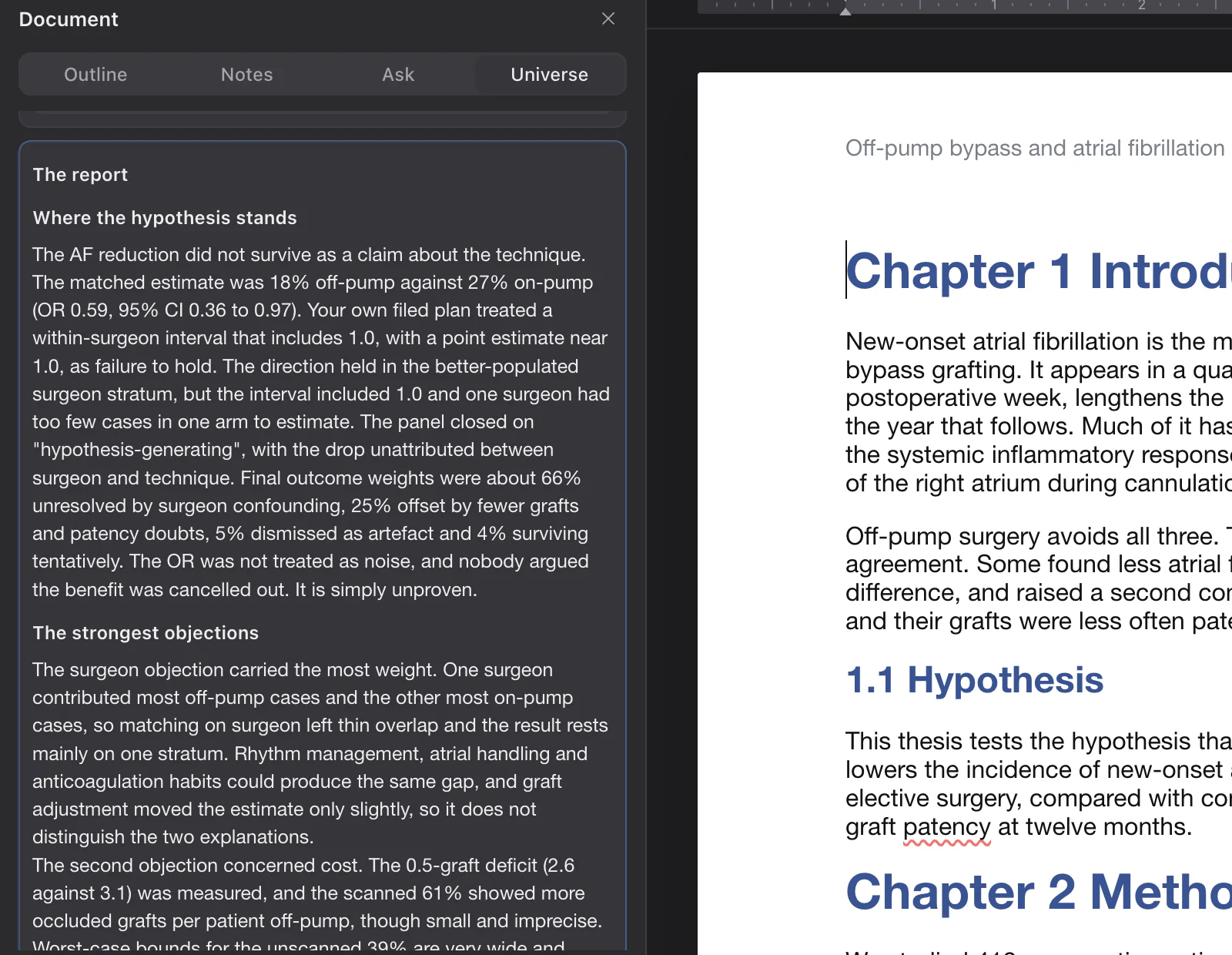
Shown on: a 370-word thesis chapter written for the tour, with Claude connected
A review panel, before the real one.
The Universe’s second face, Review panel, seats an audience you choose for the kind of work: Goodreads-style readers and a book club, critique partners and an editor, examiners and a supervisor, markers, peer reviewers, clinicians or lawyers. All of them are simulated. Each reads the whole work and reviews it alone, quoting it, and every quotation is checked against your text. Then they argue it out in rounds, where a grade moves only with words from the work, and a crowd of 100 readers can weigh in from the gallery. The chair’s report gives the grade and how far apart the panel was, what to keep, where they split, the fixes ranked by how many backed them, and for a thesis the questions to expect in the viva. Watch them in the hearing room or let it run in the background; open the result as a critics’ page to print, add the problems as comments beside their passages, or ask any reviewer why.
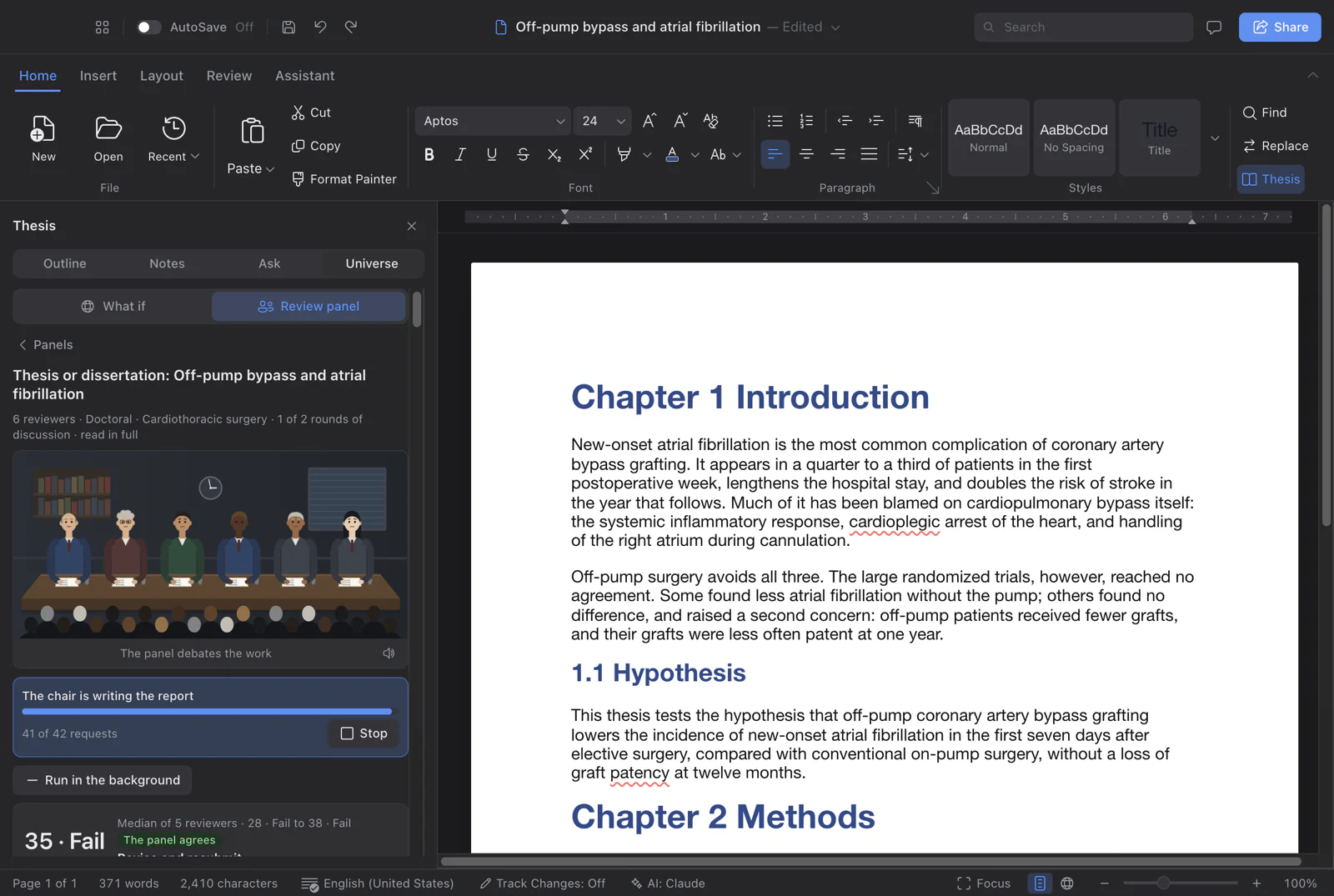
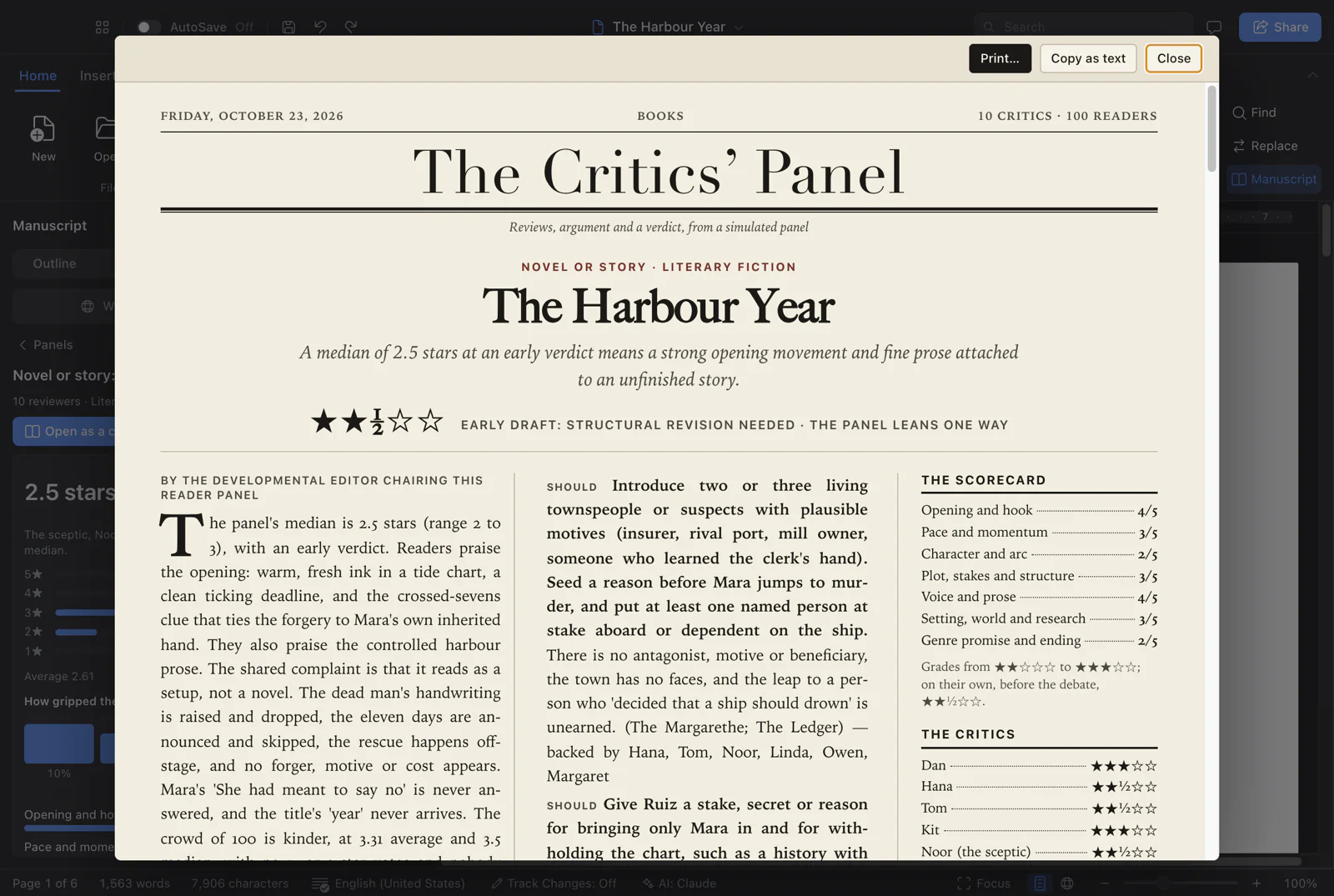
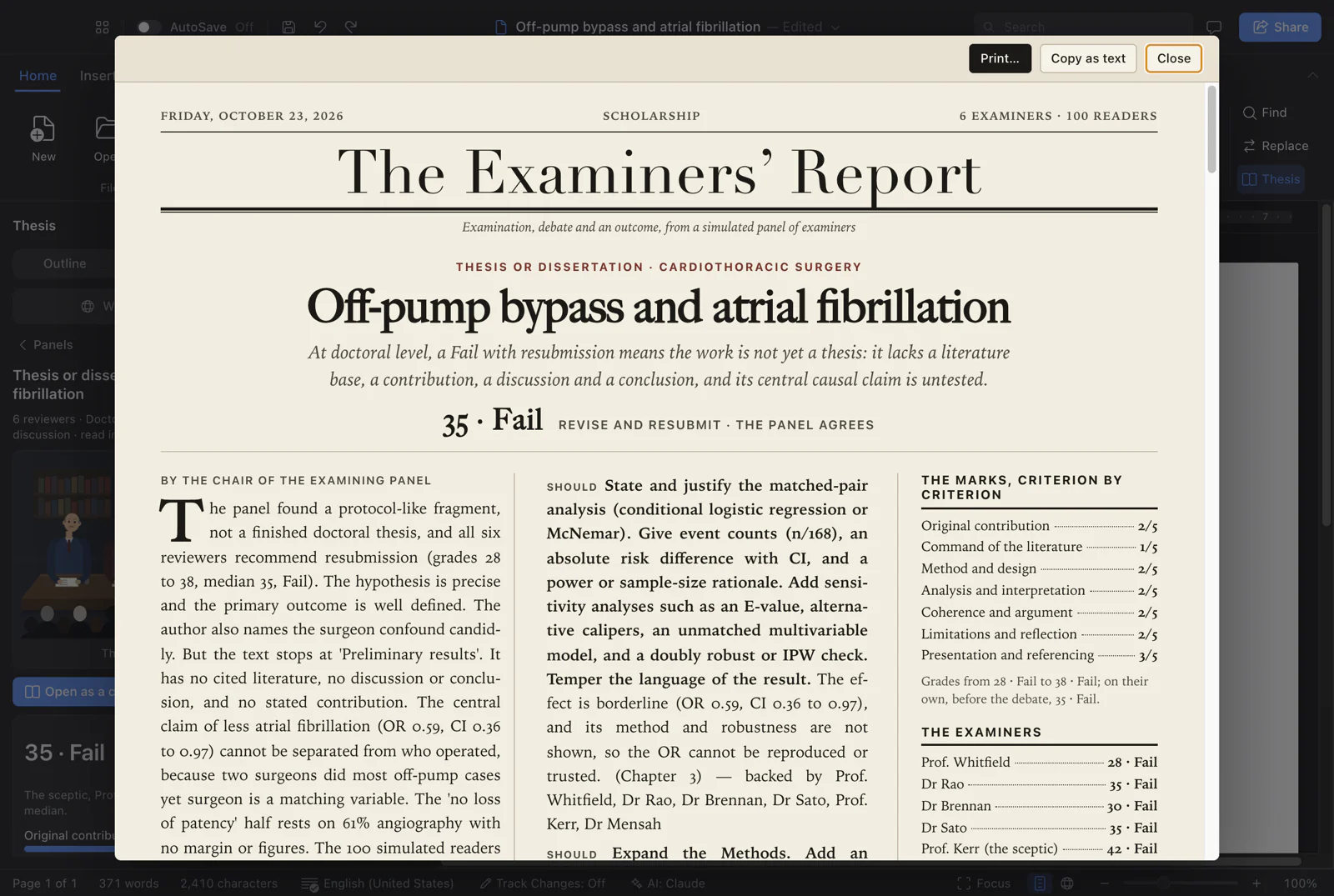
Shown on: The Harbour Year and the thesis chapter above, with Claude connected
Writing checker
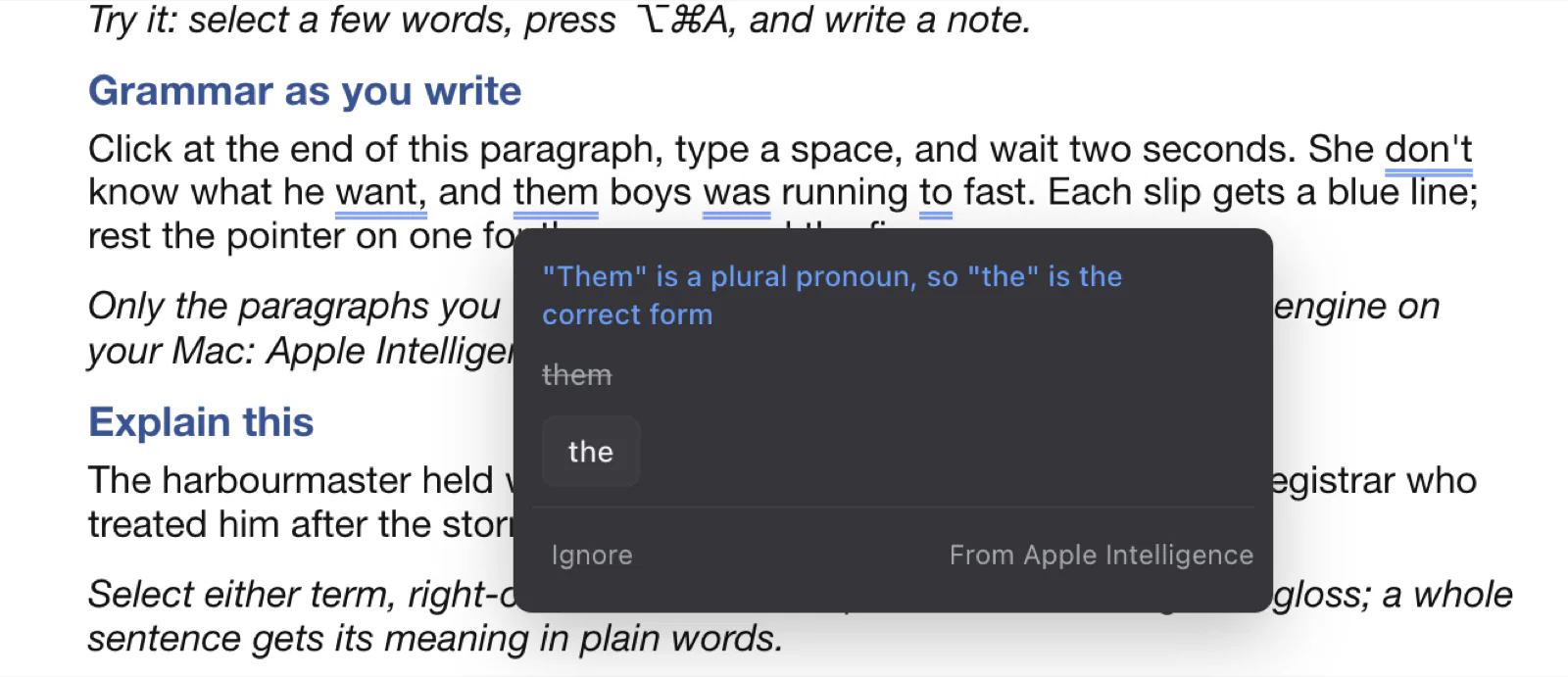
Grammar as you write.
A moment after you pause, the sentence you were writing is checked; anything worth a second look gets a blue line, and the card on hover gives the reason and the fix, yours to take or leave. Whole sentences are caught, not just single words, and British spelling stays British. With Apple Intelligence, nothing leaves the Mac.
Shown on: Welcome to Scivelle
Reading
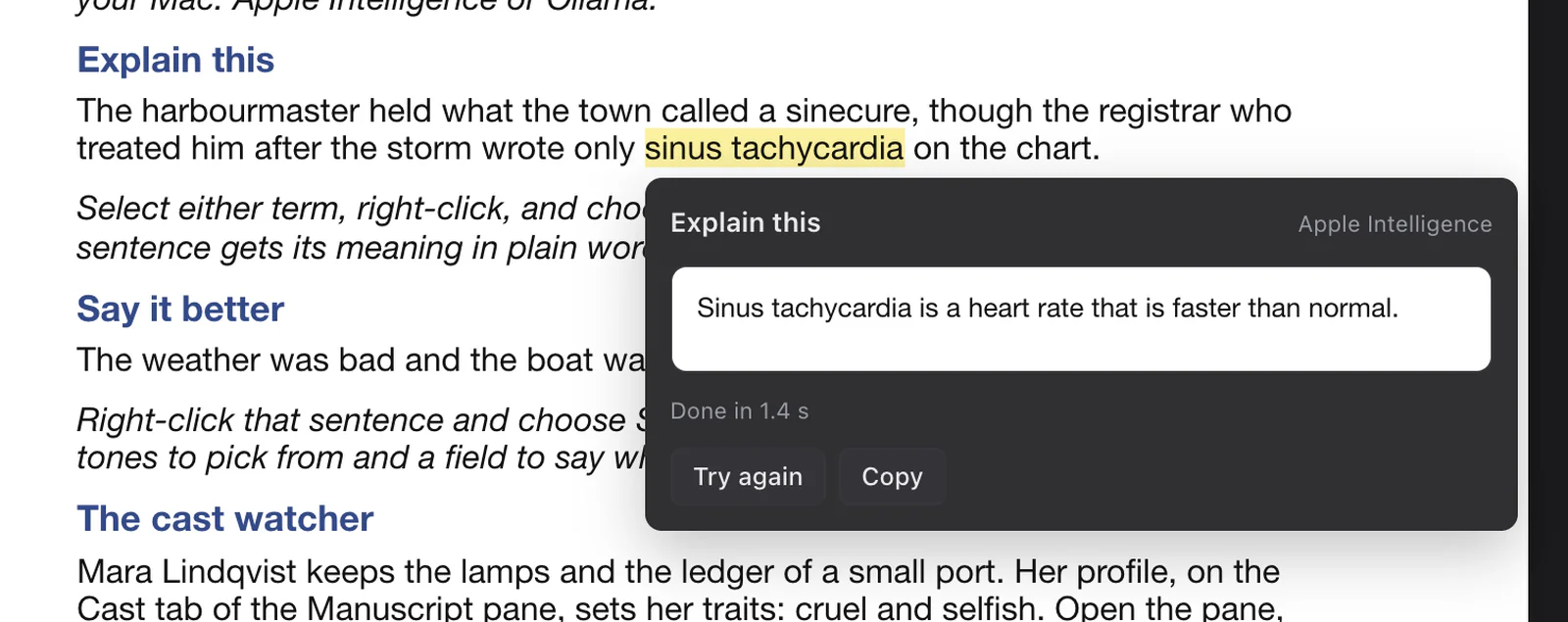
Explain this.
Select a term or a sentence, right-click, Explain This. A word gets a gloss; a sentence gets its meaning in plain words, then its harder terms: medical, legal, scientific, historical, or another language. For reading a textbook as much as for writing one.
Shown on: Welcome to Scivelle · Medical: Ioannidis 2005
Rewriting
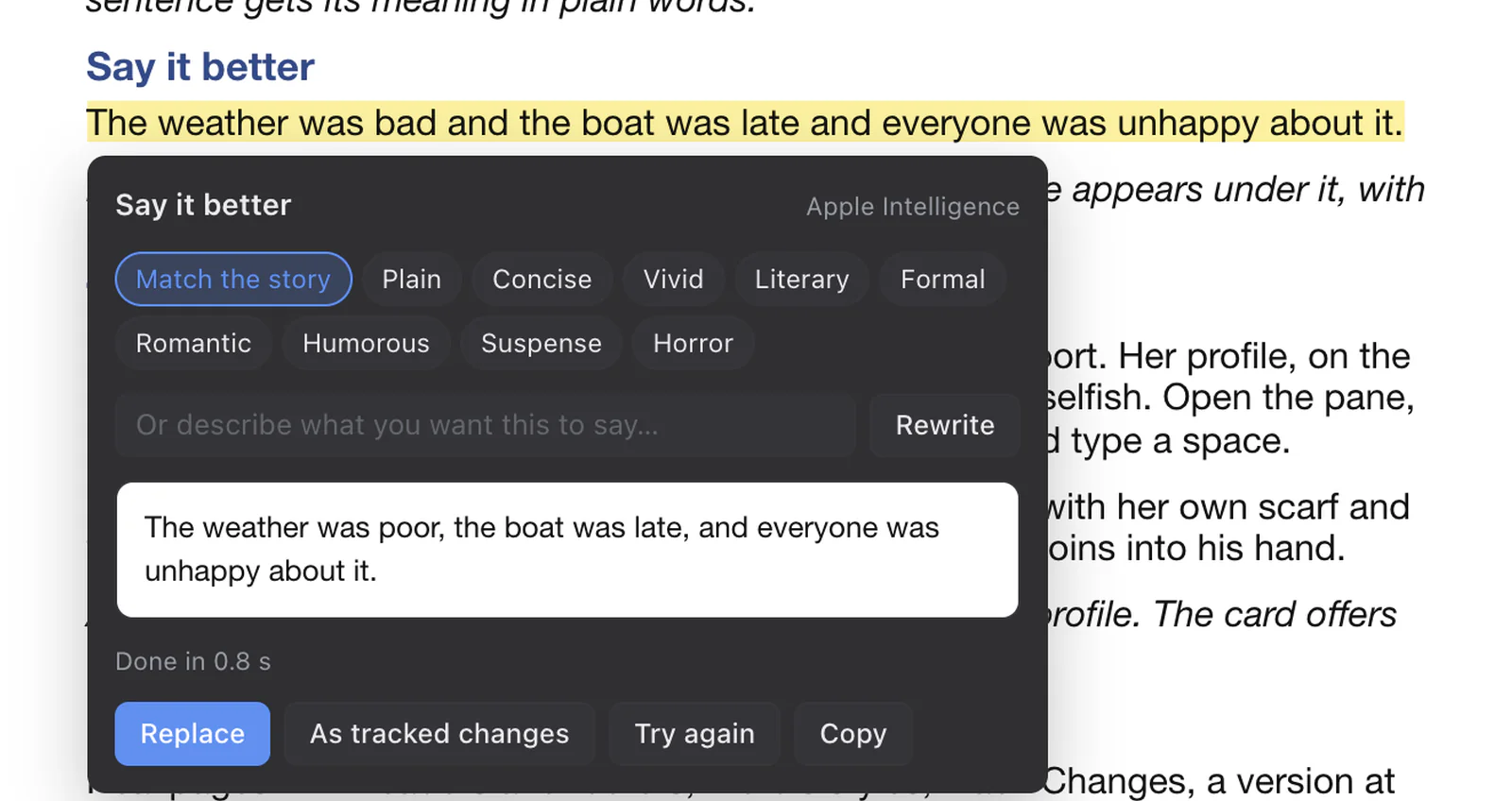
Say it better.
Right-click a sentence, Say It Better. The rewrite appears under the selection, with tones to pick from and a field to say what you actually meant. Replace it, or insert it as a tracked change for your editor to accept.
Shown on: Welcome to Scivelle · Essay: Self-Reliance
Characters
A watcher for your characters.
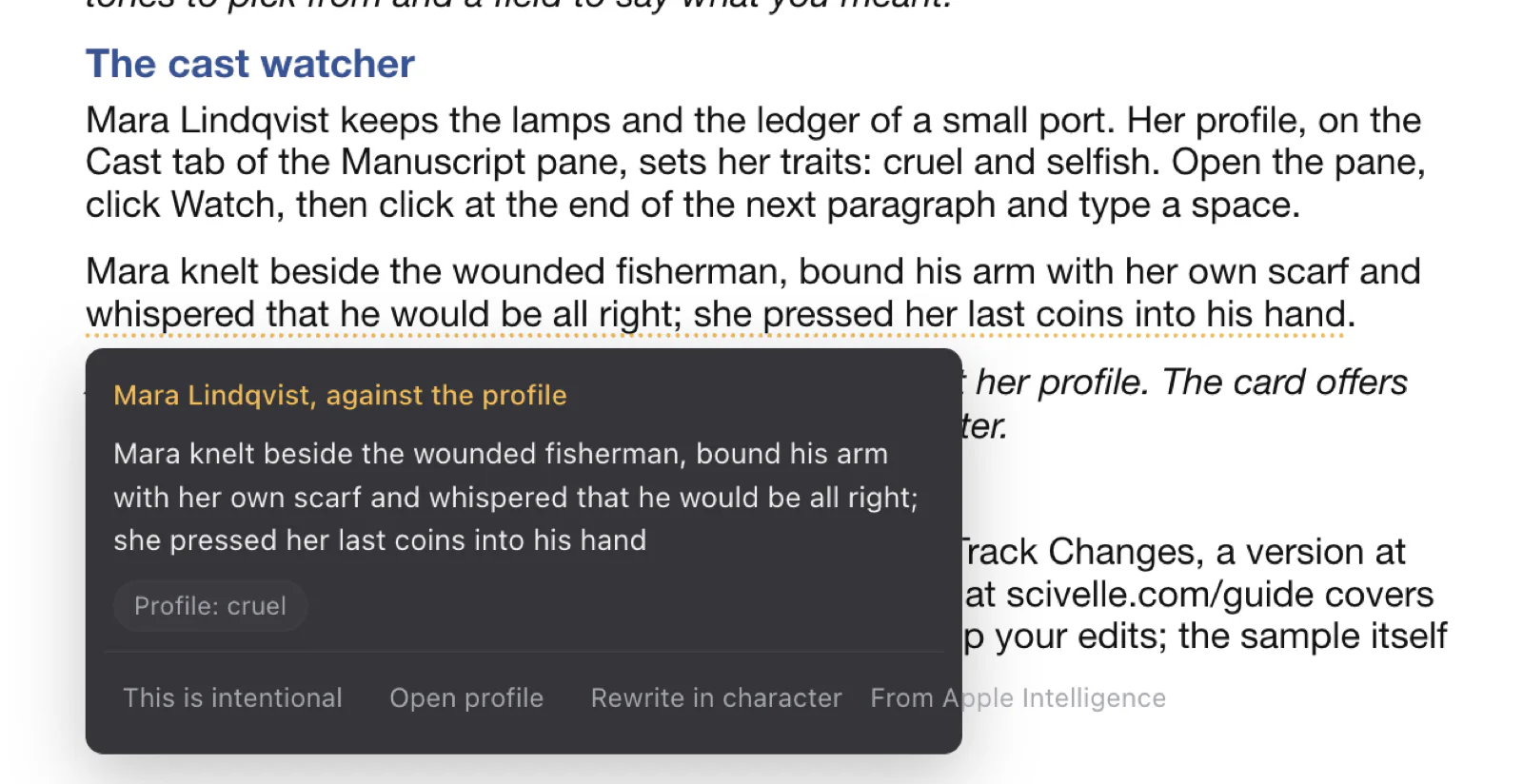
Each character has a profile with trait sliders and a list of relationships. Turn the watcher on and the paragraphs you write are read against those traits: when a cruel harbourmaster binds a stranger’s wound, an amber line marks the words, and the card offers This is intentional, Open profile, or Rewrite in character.
Shown on: Welcome to Scivelle
The start page
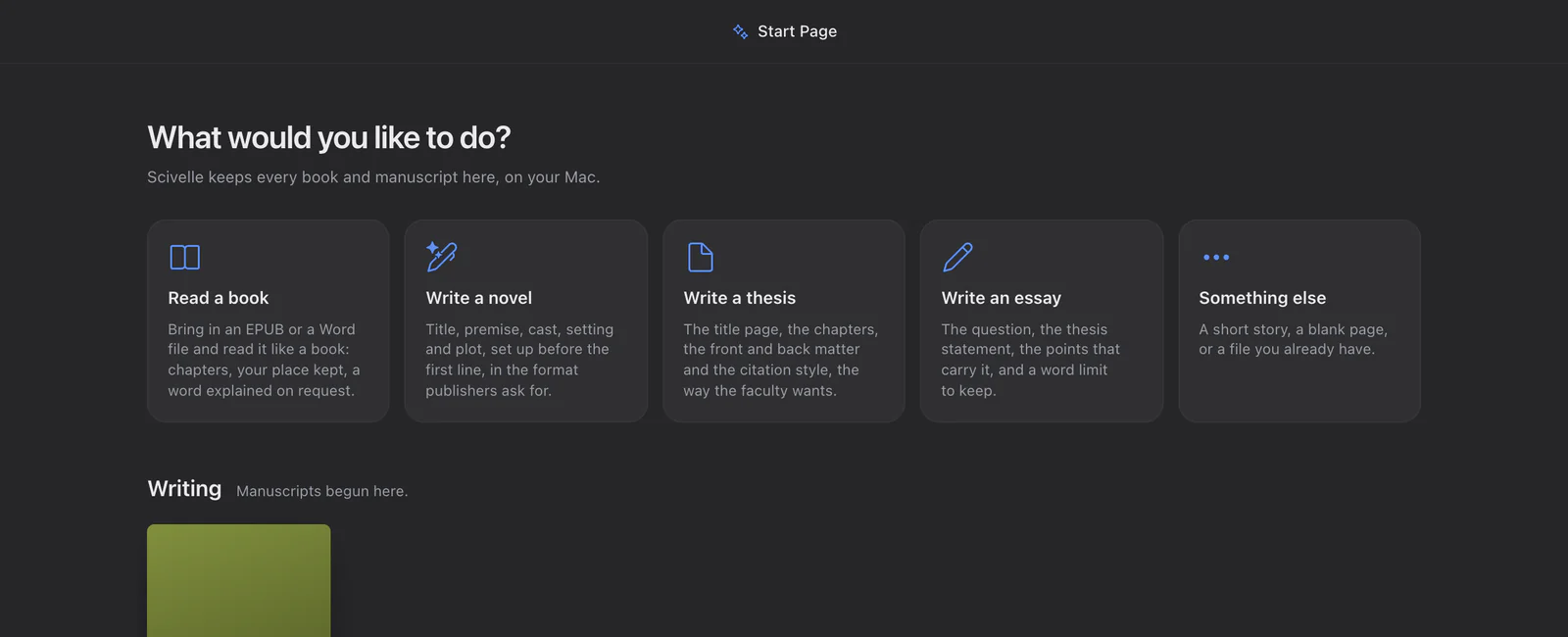
What would you like to do?
Scivelle opens on a start page: read a book, write a novel, a thesis or an essay, or something else. Below it, the shelves: the books you brought in, each with its cover and how far you got; the manuscripts begun here; your recent files. The ribbon then keeps only the tools that kind of writing needs.
Shown on: the start page
The wizards
Set up before the first line.
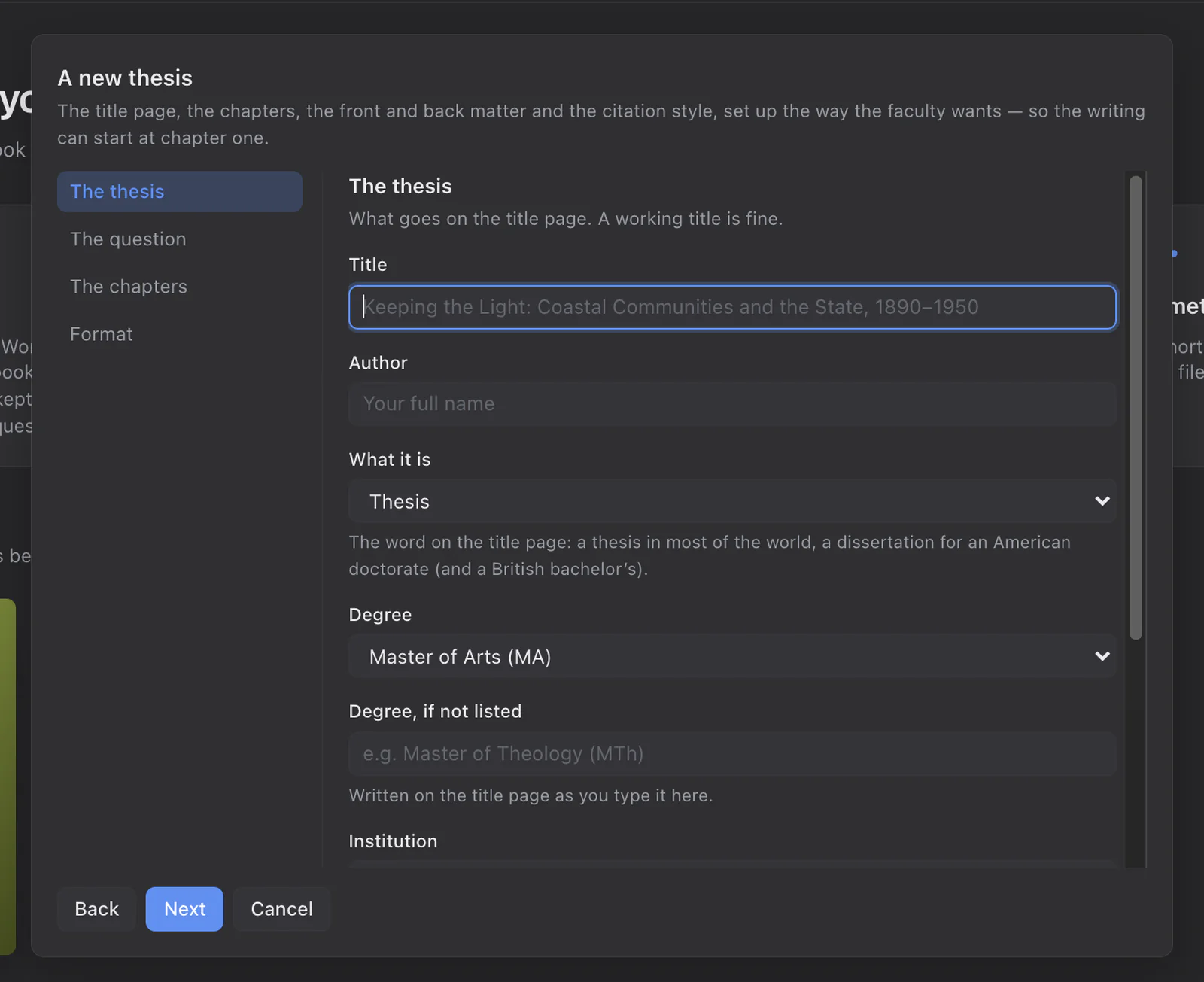
Write a thesis sets up the title page, the research question, the chapters, the front and back matter, and the citation style: APA 7, MLA 9, Chicago, Harvard or IEEE set the paper, the margins, the spacing, the headings and the references page, and the pane lists every rule of the style, ticked when Scivelle keeps it. A novel gets its premise, cast, places and plot structure; an essay its question, thesis statement, points and word limit. Nothing is saved until you press ⌘S.
Shown on: Write a thesis
Reading mode
Read the books you study.
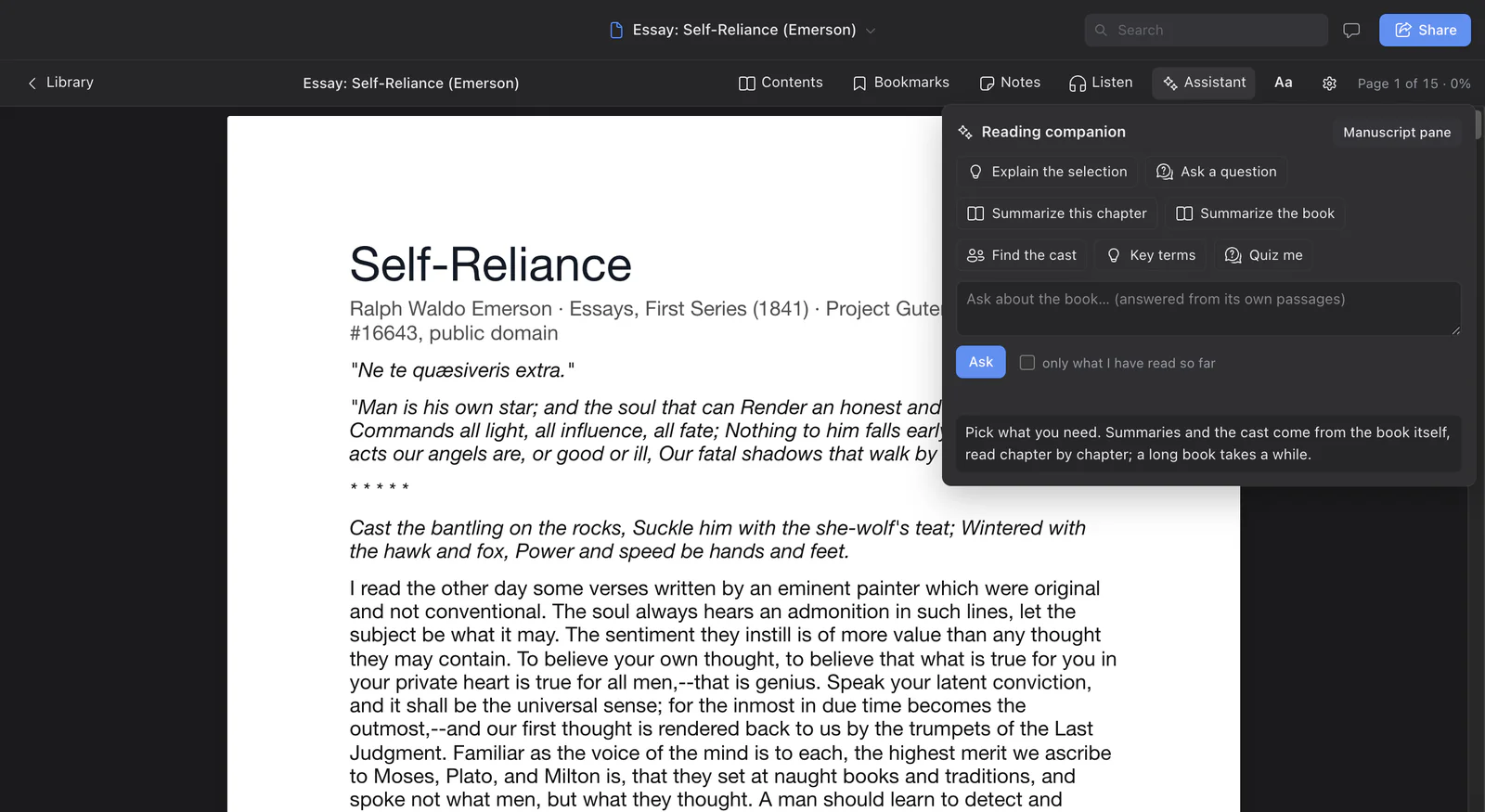
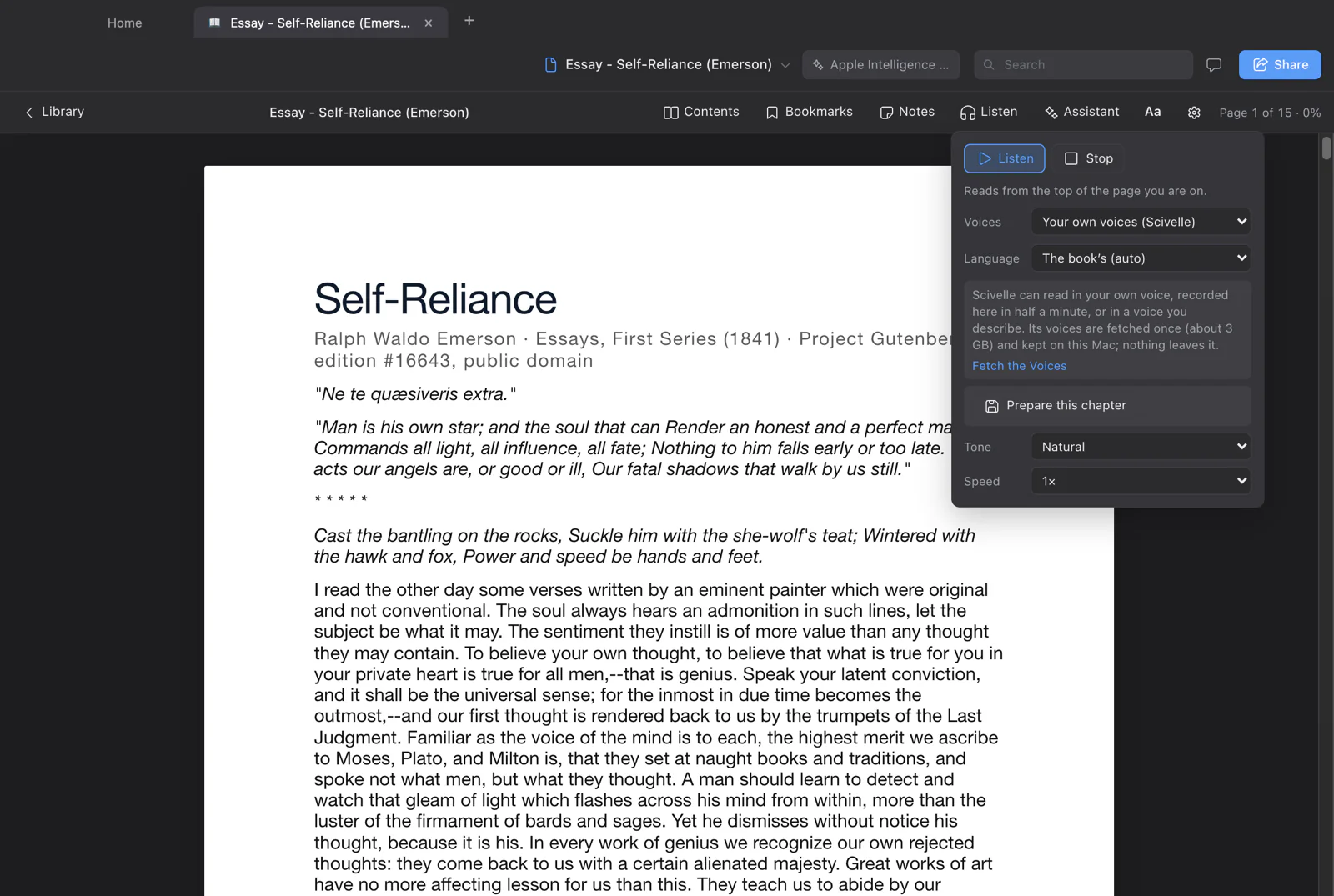
Read a book brings in an EPUB, a PDF or a Word file and opens it as a book: the ribbon goes, the arrow keys turn pages, your place is kept, bookmarks, highlights and notes stay with it. The reading companion explains a selection, summarizes a chapter or the book, finds the cast, lists the key terms of the chapter and quizzes you on them, and answers a question from the book’s own passages, naming the chapters, and only from what you have read so far if you ask.
Shown on: Essay: Self-Reliance
Listening
Listen, in a voice of your own.
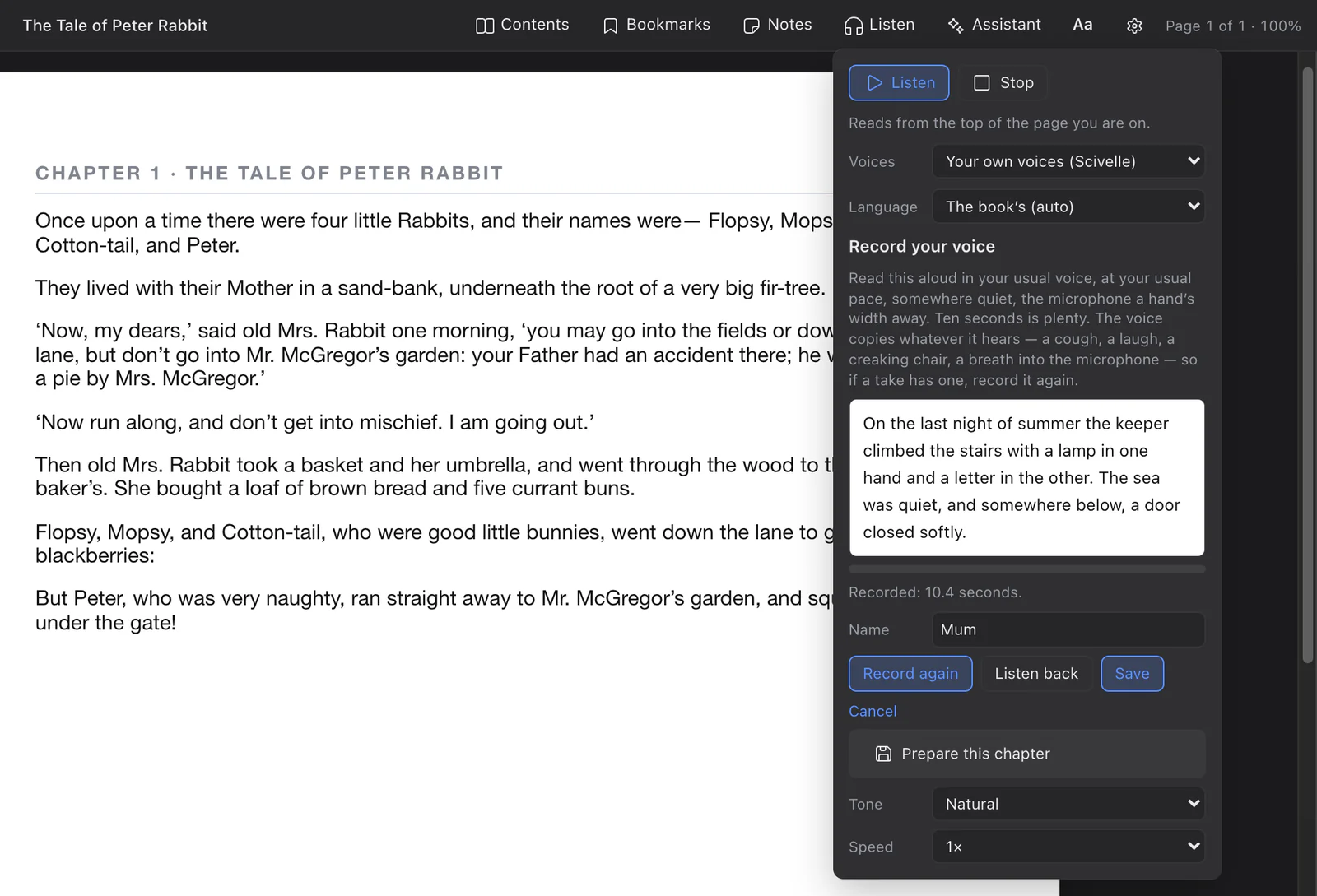
Listen reads the book aloud a sentence at a time, each one lit on the page as it is read. Choose Scivelle’s own voices, OpenAI’s (with your key) or the Mac’s: three narrators come with Scivelle, or record ten seconds of a voice and the book is read in it, or describe a voice and it is made. Scivelle’s voices read in ten languages: English, French, German, Spanish, Italian, Portuguese, Russian, Chinese, Japanese and Korean. Pick one and the book is translated as it goes, paragraph by paragraph, kept with the book. Prepare this chapter makes a whole chapter ahead, for a walk without waits. Scivelle’s voice engine runs on your Mac and nothing leaves it; with OpenAI’s voices, the text being read goes to OpenAI.
Shown on: Essay: Self-Reliance
Your voice
In the voice they know.
Record ten seconds of yourself, or let someone you love record theirs (only with their consent), and Listen reads any book in that voice. A parent records once, and on a night away the bedtime story is still read in their voice. A couple each record theirs, and the book one of them is reading is read aloud in the other’s. In Listen, choose Scivelle’s own voices, then Record my voice…: read the short passage, listen back, give the voice a name and save it. Keep one for everyone in the family. On the Characters tab a voice can be given to a character, so one of you narrates and the other speaks that character’s lines. The recordings and the voices stay on your Mac; nothing leaves it. It needs a Mac with Apple silicon and macOS 14, and the voice engine, about 3 GB, is fetched once.
Shown on: The Tale of Peter Rabbit (Beatrix Potter, public domain), brought in with Read a book
Try it on your own manuscript.
14 days free, no account. Then then $39.98, once, for 3 Macs.
Download for MacThe sample texts: Emerson’s Self-Reliance and the Constitution of the United States are public domain (Project Gutenberg); Ioannidis, Why Most Published Research Findings Are False, PLOS Medicine 2005, is CC BY. The comments in them were written for the samples.
© 2026 Lithovane LLC. Scivelle is a product of Lithovane LLC. All rights reserved.
Review
Comments, counted.
Comments live in the Word file, beside the text they are about. The Review tab’s Show Comments button says how many the document holds, the cards sit in the margin with their replies, and a resolved comment stays struck through until you delete it. Opening a document with comments tells you so.
Shown on: Welcome to Scivelle